 Liwu
Liwu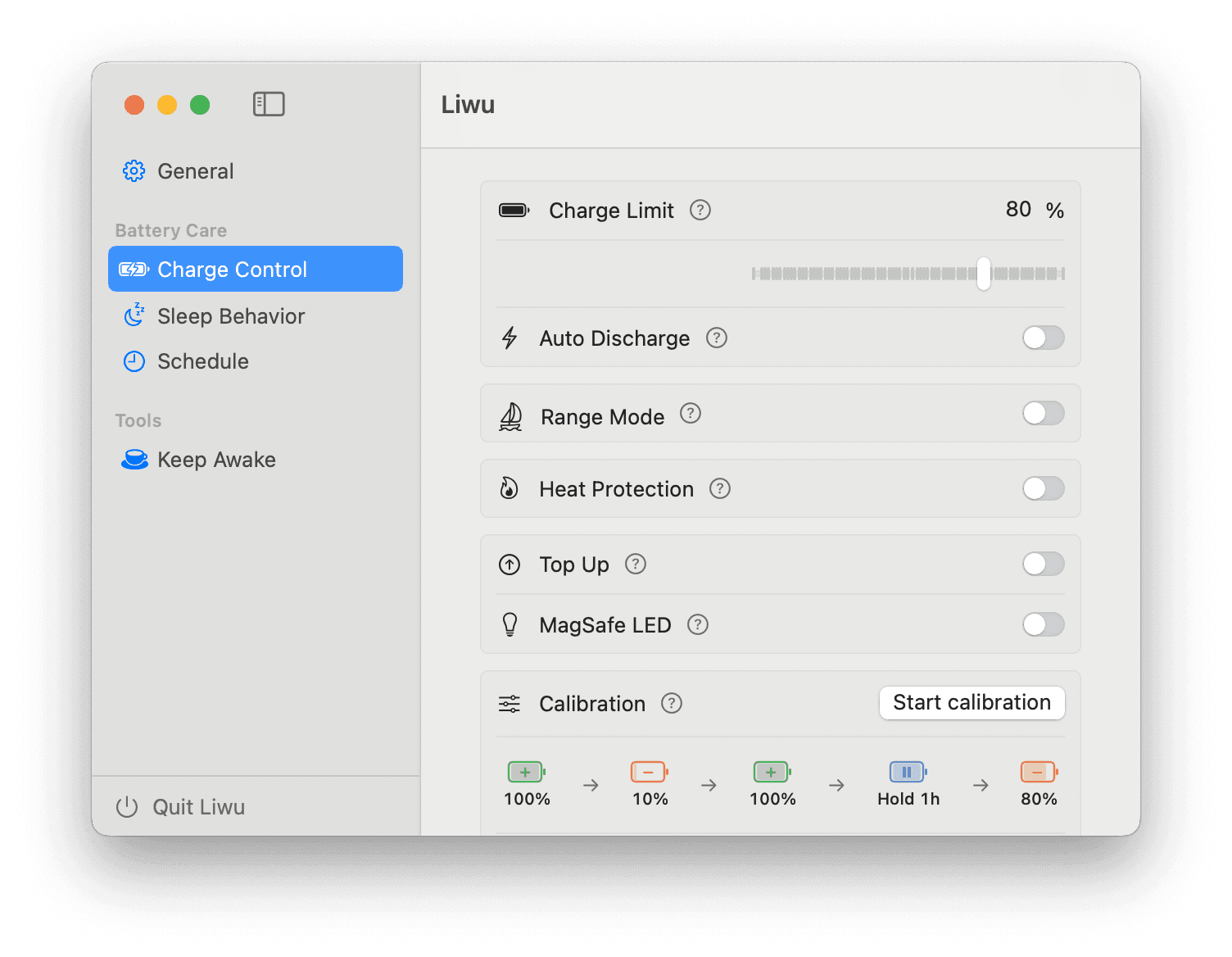
Charge your MacBook
just right
Liwu is a MacBook charge limiter and long-task companion for Apple Silicon. Set a 20–100% limit, keep local AI agents and builds running, and automate charging around your day.
Apple Silicon · macOS 14+
- 80%
- Recommended cap
- 1×
- One-time unlock
Charge limit 80%
Maintained
No overnight charge
Scheduled calibration
Every Sun 03:00
Liwu at a glance
The product facts most people need before installing Liwu.
- Compatibility
- Apple Silicon MacBook · macOS 14+
- Price
- Core features free · Pro $9.99 one-time
- App data
- Battery, configuration, and usage data stay on your Mac
- System access
- One user-approved local helper controls charging
- Current release
- 1.0.6 · 2026-07-29
Battery-care basics · Free
Cap charging at just the right limit
Prolonged full charge and heat are hardest on lithium batteries. Set a limit so your Mac rests in the healthiest range; it also pauses charging when it overheats.
- Set the limit anywhere from 20–100% — drag the battery bar or type a number
- Auto-pause charging on overheat
- Optimized-charging detection so the limit really works

Long jobs, uninterrupted
Let your AI keep working when you step away.
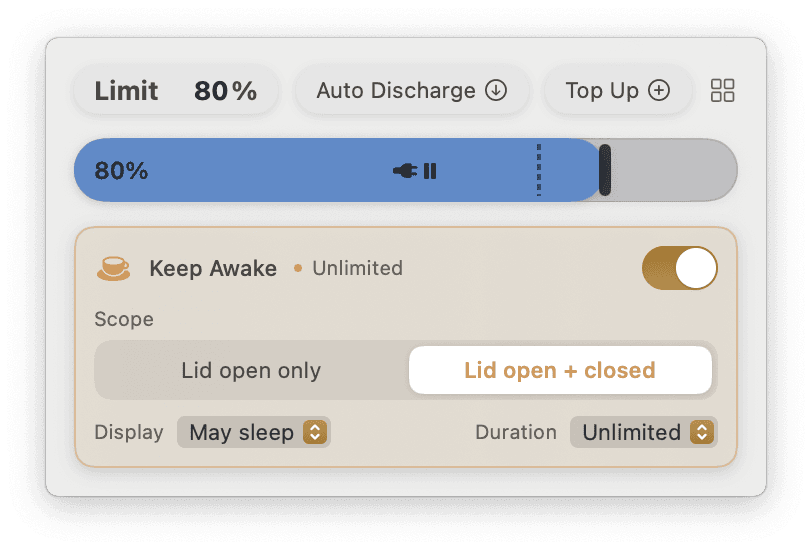
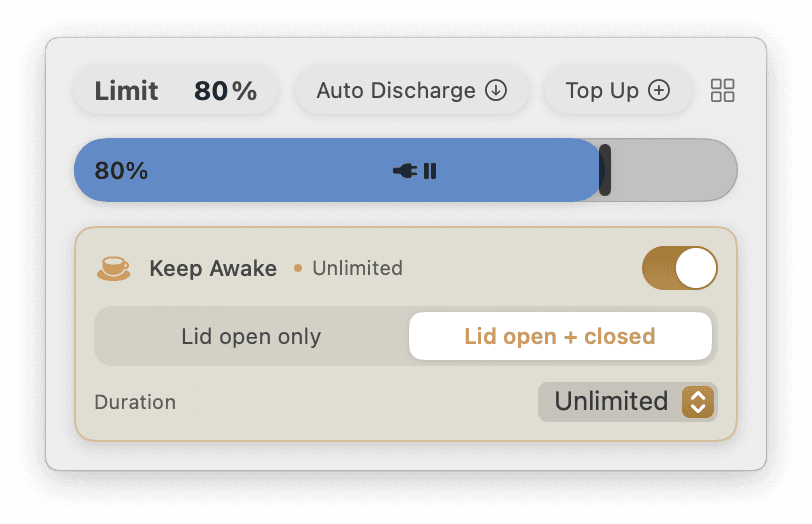
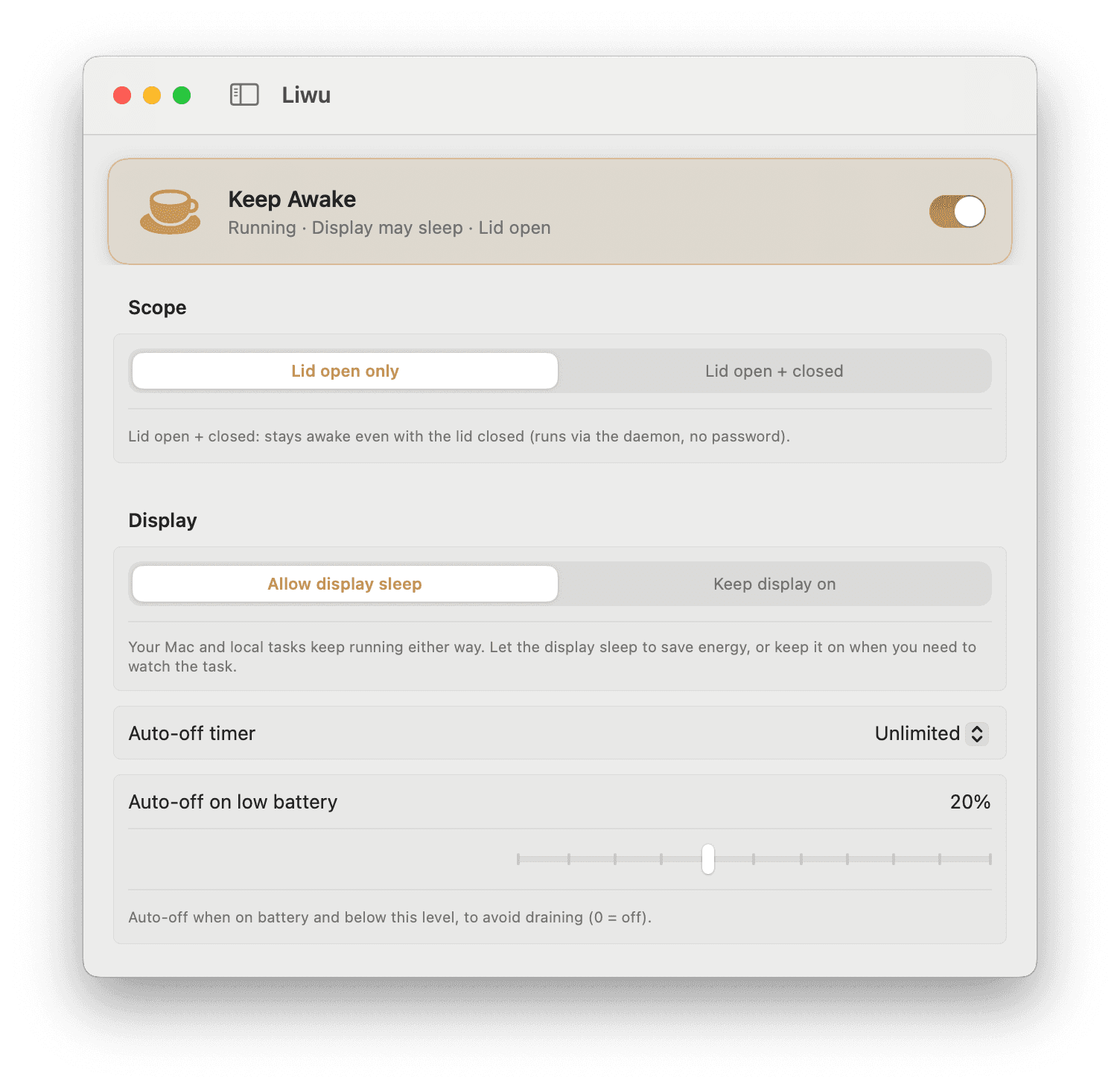
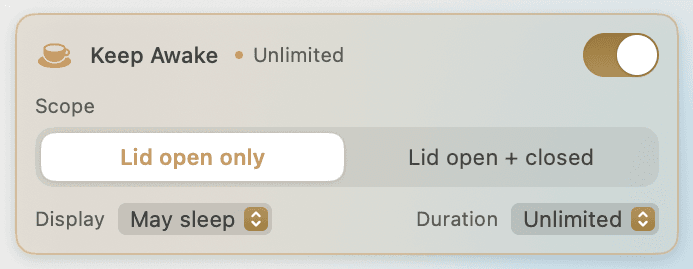
Keep local coding agents, builds, tests, renders, and downloads running while your display sleeps. Add a timer or low-battery cutoff, or keep working with the lid closed with Pro.
- Mac stays awake while the display may sleep
- Timer and low-battery cutoff
- Lid-closed operation · Pro
Rest easy all night
Plugged in overnight, without quietly charging to full
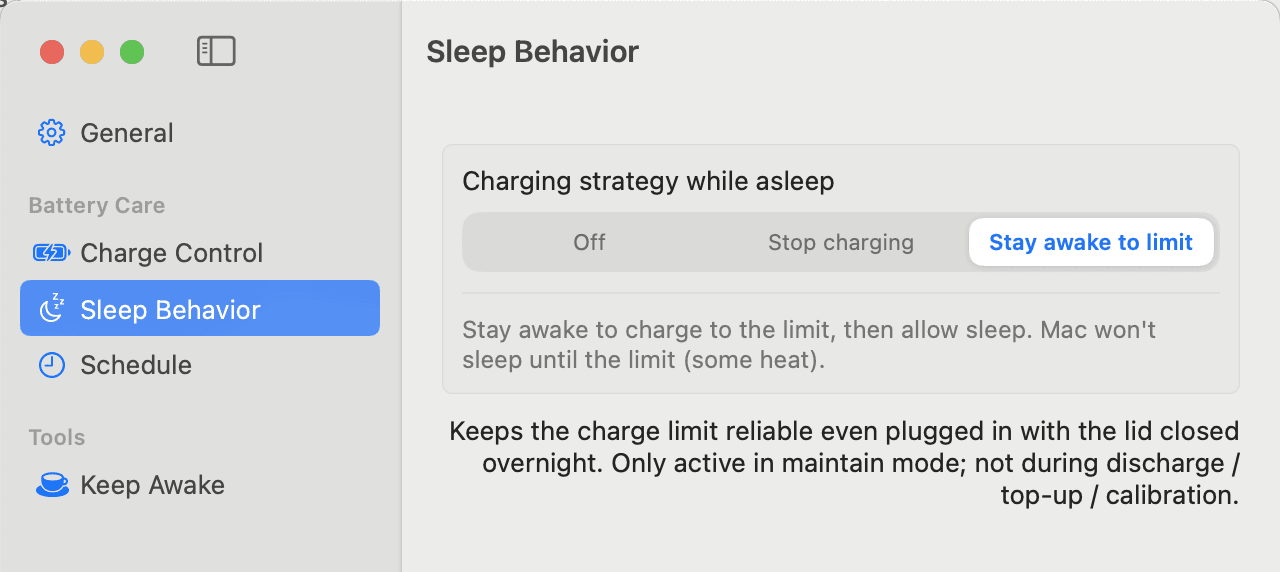
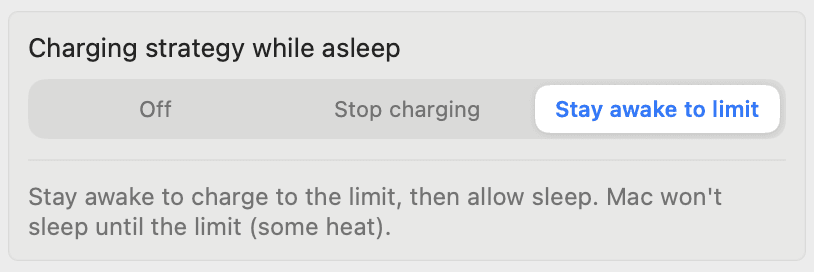
While your Mac sleeps, the system by default just keeps charging, often all the way to full. Liwu stops it right before sleep — out of the box. And when you'd rather it charge first, it can stay awake until your limit is reached, then let the Mac sleep.
- Pause on sleep — no overnight overcharge
- Stay awake until the limit · Pro
- Keep awake with the lid closed · Pro
Automation · Pro
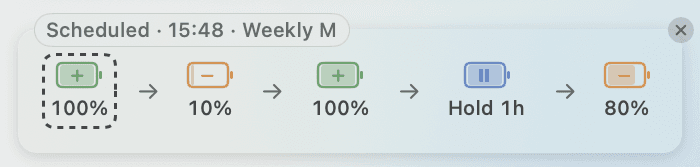
Schedule charging, discharging, and calibration — let it handle them
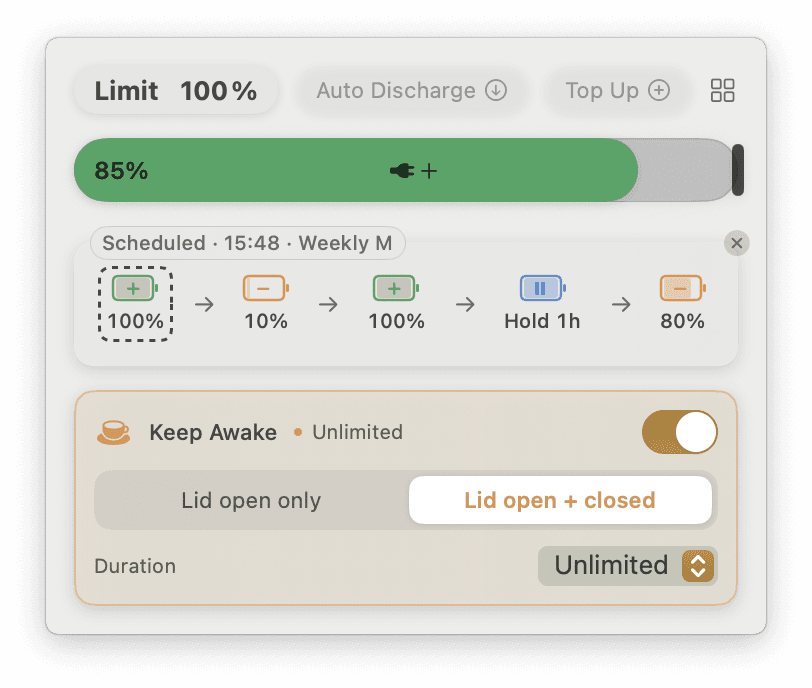
While Liwu is running, scheduled tasks execute on time: charge to full before a trip, change the daily limit, or calibrate the gauge weekly. The popover shows the next run, and you can skip one with a tap.
- Charge / discharge / calibrate / change limit
- One-time / daily / weekly / biweekly — pick any days of the week
- Preview the next run in the popover, with skip
All features at a glance
The free tier already delivers; Pro unlocks advanced features, convenience, and automation.
Charge Limit
Cap charging at your chosen maximum % for everyday battery care.
Optimized-Charging Detection
Alerts you when macOS holds charging at 80%, so your limit truly takes effect.
Heat Protection
Automatically pauses charging when it gets too hot, protecting the cells.
Pause on Sleep
Plugged in with the lid closed overnight? It won't quietly top up to full.
Live battery readouts
Charge level, charge state, current (mA), and temperature at a glance.
Keep Awake · Lid Open
Keep your Mac from sleeping with one click (lid-open) — with an auto-off timer and low-battery cutoff.
Discharge to Target
Actively discharge to a set level — healthier for long-term storage.
Top Up to Full
Charge to 100% before a trip; unplug and it restores your limit automatically.
Calibration Mode
Multi-step cycle to recalibrate the battery gauge for more accurate readings.
Scheduled Tasks
While Liwu is running, automatically charge to full / discharge / calibrate / change the limit on schedule.
Range Mode
Hysteresis around the limit to reduce micro-charging.
MagSafe Indicator
Green while Liwu holds charging back, amber while it allows charging or discharges.
Stay Awake Until the Limit
Keep awake to charge up to the limit, then allow sleep.
Keep Awake · Lid Closed
Stay awake even with the lid closed — runs via the daemon, no password needed.
MacBook Battery Guides
Practical explanations of charge limits, battery health, and how macOS charging behavior works.
How to Keep a Mac Awake for AI Agents and Long-Running Tasks
Keep local AI coding agents, builds, tests, renders, and downloads running while a Mac display sleeps, using macOS settings, caffeinate, or Liwu.
Is a MacBook Charge Limiter Safe?
How to evaluate a MacBook charge limiter: signing and notarization, privileged helpers, network access, charging conflicts, and complete removal.
Pricing
Download free to use the core features. Want everything? Pro is a one-time purchase.
| Feature | Free $0 | Liwu Pro $9.99 one-time |
|---|---|---|
| Charge limit | ||
| Optimized-charging detection | ||
| Heat Protection | ||
| Live battery readouts | ||
| Sleep Behavior · Stop charging | ||
| Sleep Behavior · Stay awake to limit | ||
| Keep Awake · Lid open | ||
| Keep Awake · Lid closed | ||
| Discharge & Auto Discharge | ||
| Top Up | ||
| Calibration Mode | ||
| Schedule | ||
| Range Mode | ||
| MagSafe LED |
One-time purchase · no subscription · lifetime for the current major version · also unlocks Pro in future Liwu tools.
Charge your battery to just right — now
Download free, authorize once, and start caring for your battery.
Apple Silicon · macOS 14+
FAQ
Is it safe? Why does it need a background daemon?
Controlling charging requires system-level access (writing to the SMC). Liwu's daemon only does local charge control — you authorize it once, and it never sends any data online.
Will it harm the battery?
Capping charge and reducing time spent at full charge or high temperature can reduce two important sources of battery ageing. No app can guarantee a particular battery lifespan.
Which models are supported?
Apple Silicon (M-series) · macOS 14 and later.
Is the free tier free forever?
Yes. Charge limit, optimized-charging detection, heat protection, pause-on-sleep, live battery readouts, and keep-awake (lid-open) are free forever, with no nagging.
How is Pro priced?
A one-time purchase of Liwu Pro unlocks all Pro features — valid for the lifetime of the current major version, no subscription.
How many devices? Can I get a refund?
One license can activate several personal devices; refunds are supported — see the Refund Policy.
How do I report a bug or request a feature?
Open an issue on GitHub — bug reports and feature requests are both welcome. Prefer email? Write to us any time.